PreTrip: A Tablet-Based Rail Inspection & Route Awareness Tool
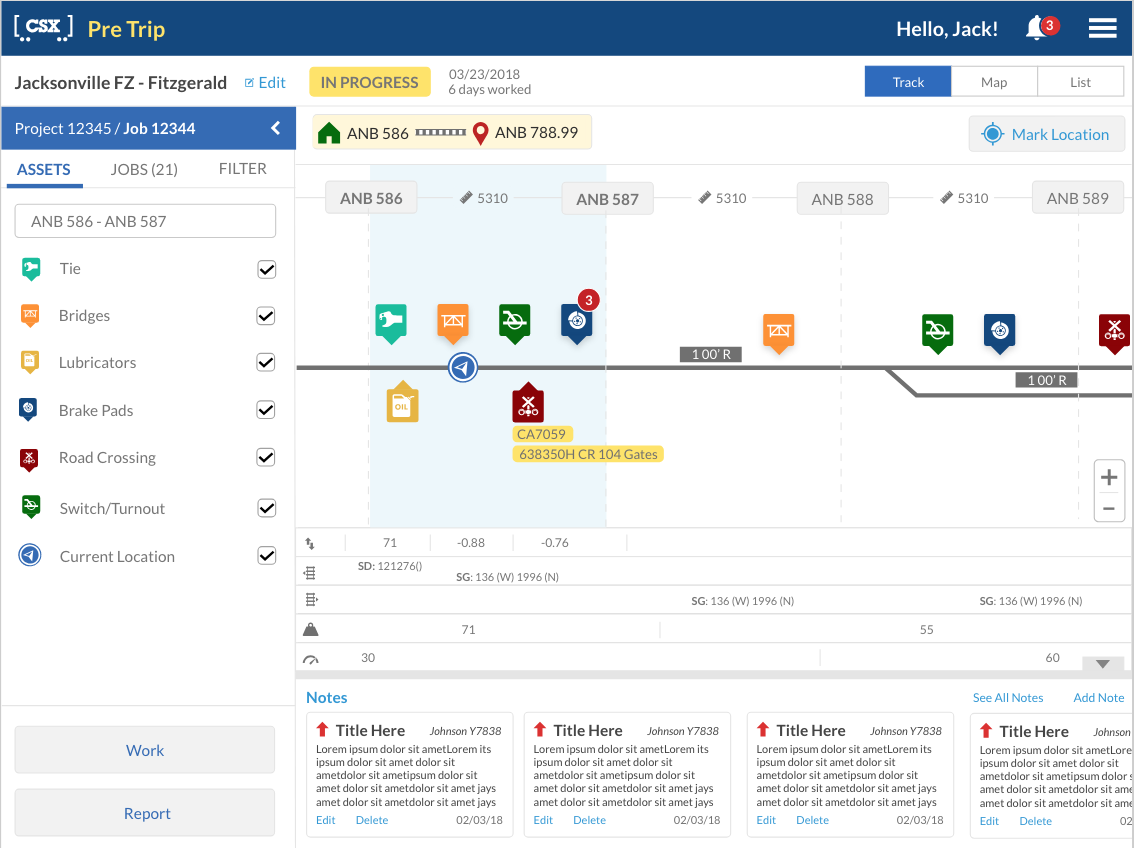
PreTrip is a tablet-based application designed to help train conductors and program construction managers inspect upcoming railroad assets, understand their route, and document work or incidents in real time. The app gives users visibility into what is around them at the terminal or along the route, including ties, bridges, lubricators, brake pads, road crossings, switches, and other track assets.
The application included multiple views, such as Track View, Map View, and List View, allowing users to choose the format that best supported their workflow. Users could also complete work, report incidents, and leave notes for other conductors and construction managers.
I followed a user-centered design process across discover, define, ideate, prototype, and test. The goal was to create a field-friendly experience that gave users the right information at the right time while supporting safety, communication, and operational efficiency.
Discovery Phase
During the discovery phase, we identified that there was no existing system in place for the PreTrip workflow. Users needed a better way to inspect assets on the track in real time and understand what was coming up along their route.
To better understand the problem, we gathered user feedback and studied how train conductors and program construction managers currently completed their work. These users were responsible for moving through terminals and rail routes while keeping track of assets, identifying issues, documenting work, and communicating with others.
The research revealed several pain points. Users were relying heavily on paper notes, manual tracking, and memory. There was no easy way to see upcoming assets, understand assigned zones, view nearby project work, or document issues directly in the field. This created a need for a digital tool that could support real-time visibility, documentation, and communication.
The discovery phase helped define the need for a tablet-based application that could be used in the field and provide clear route awareness while users were actively moving through rail environments.
Define
During the define phase, I organized the research into clear user needs, personas, and workflows.
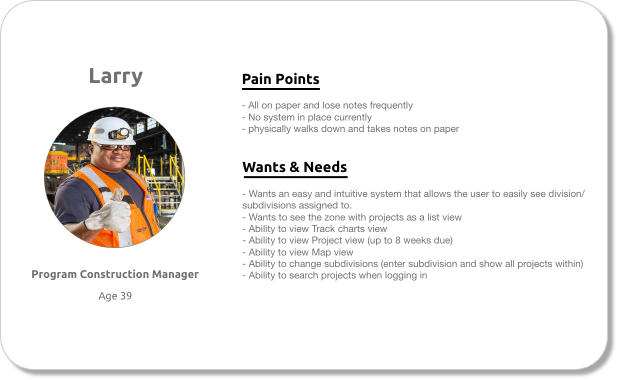
I created a user persona for Larry, a program construction manager at CSX. Larry walks up and down the track to inspect rail assets and make sure everything is ready for train movement. His pain points included relying on paper notes, losing notes frequently, lacking an easy system for his current work, and physically walking the track while trying to document information manually.
Larry’s needs helped shape the product direction. He needed an intuitive system that allowed him to see assigned divisions and subdivisions, view projects in a list, filter track charts, view zones and maps, change subdivisions, and search projects when logging in.
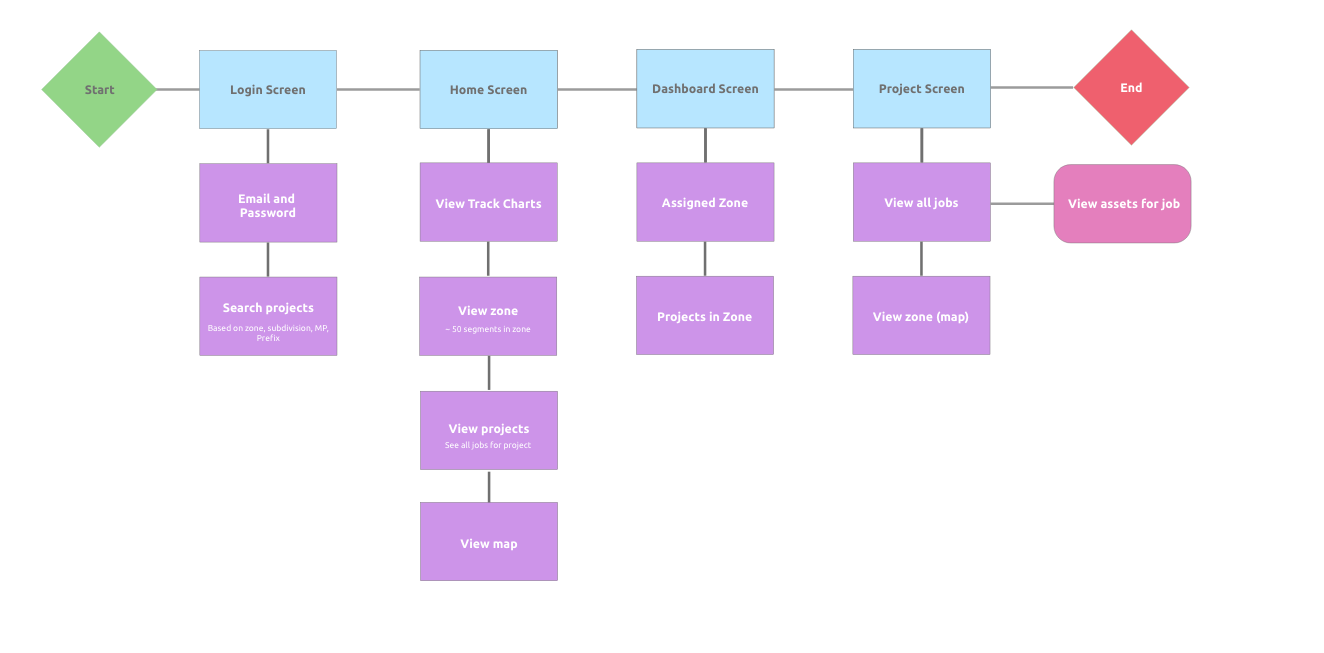
I also created a user flow to map how users would move through the application. This included logging in, searching projects, viewing track charts, seeing assigned zones, reviewing projects in a zone, viewing the map, accessing jobs, and viewing assets for a specific job.
This helped define the core design challenge:
How might we give field users a clear, real-time view of upcoming rail assets and project work so they can inspect, document, and communicate issues more efficiently while on the move?
Ideate
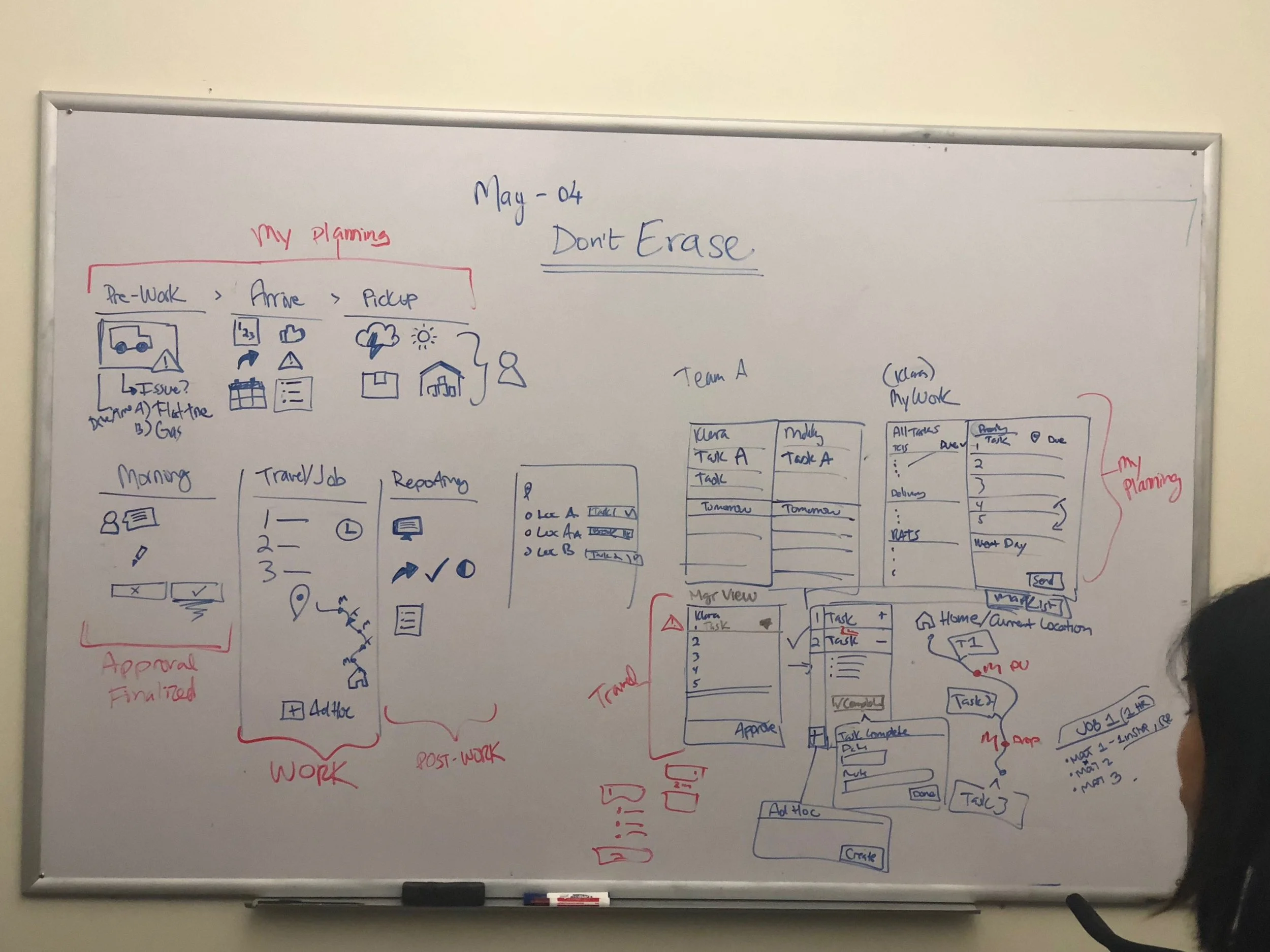
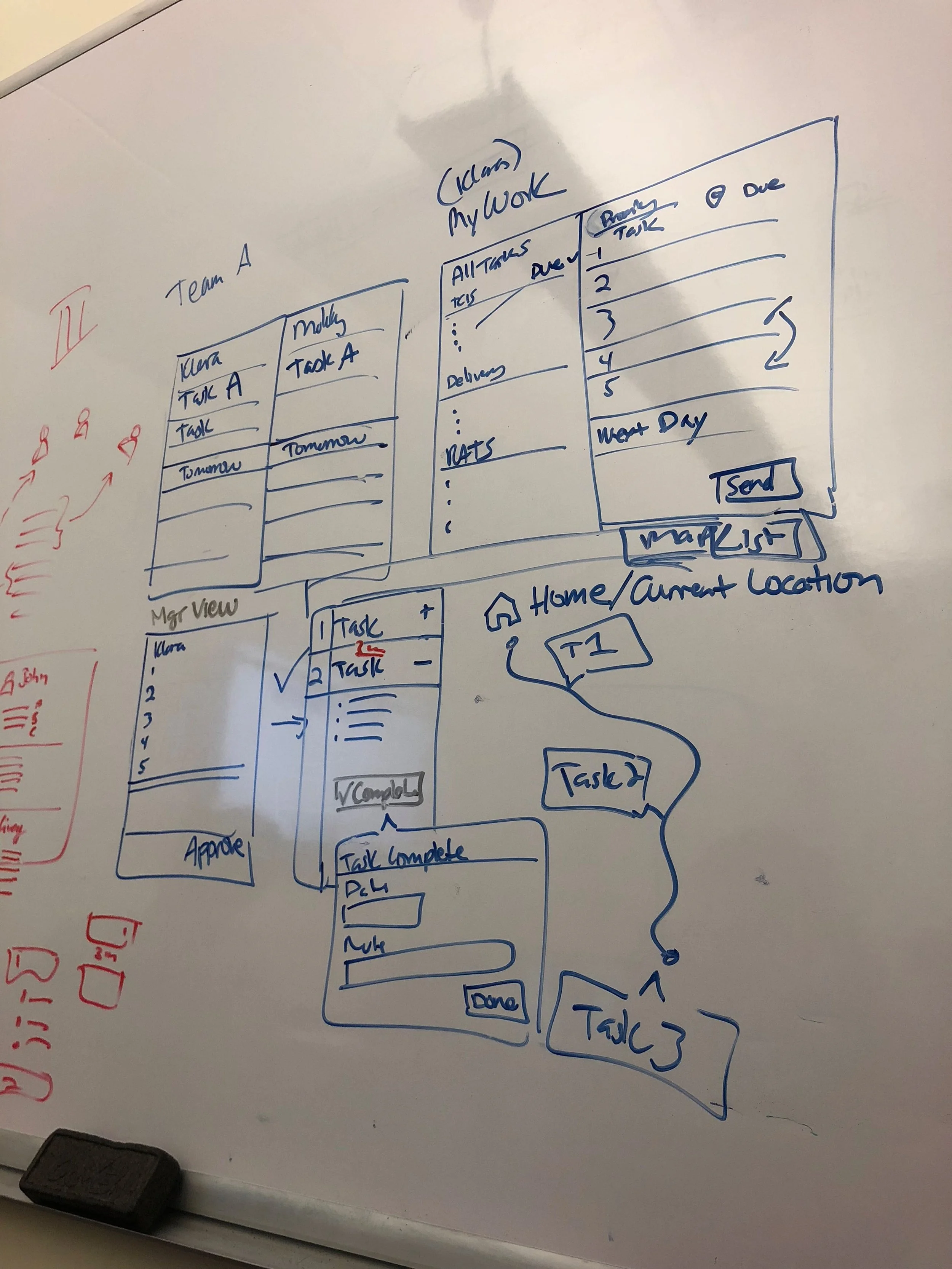
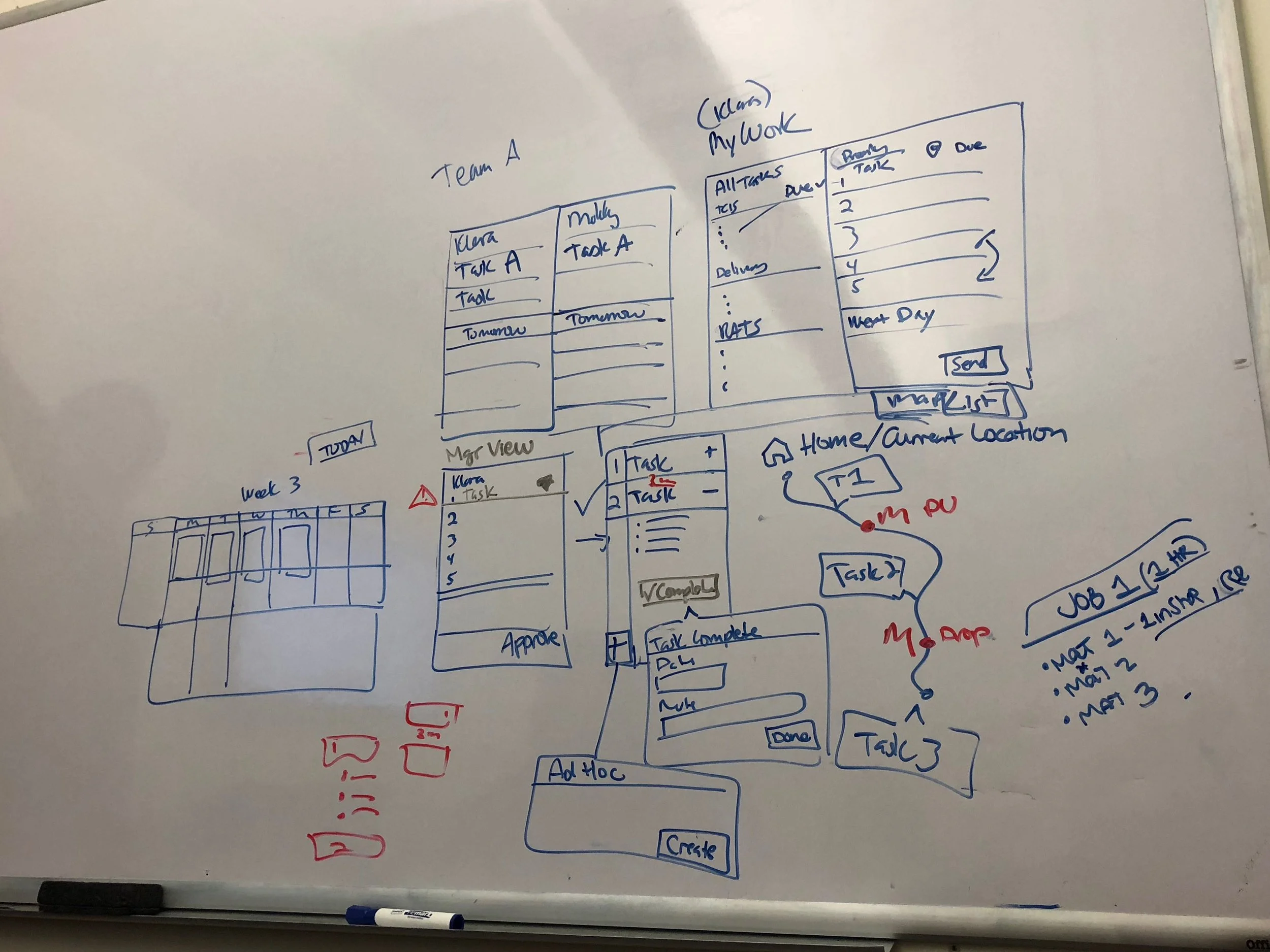
During ideation, we held brainstorming sessions to explore how PreTrip could support users in the field. We used whiteboarding sessions to sketch early concepts, map possible workflows, and think through how users would interact with track assets while using a tablet.
A major focus was determining how to present complex rail information in a way that was clear and usable. Users needed to see where they were, what assets were coming up, what work needed to be completed, and how to report issues without being overwhelmed.
We explored several key ideas, including:
A Track View to show upcoming assets along the rail line
A Map View to help users understand their location and surrounding terminal area
A List View to provide a simplified way to review assets and jobs
Filters for asset types such as ties, bridges, lubricators, brake pads, crossings, and switches
Notes that could be shared between conductors and program construction managers
Actions for completing work or reporting incidents
These brainstorming sessions helped turn early research insights into a focused product direction.
Prototype
For the prototype phase, I designed early mockups and high-fidelity screens for the PreTrip experience using Adobe XD. The application was optimized for tablet use because users would be accessing it while working in the field, moving through terminals, or reviewing upcoming assets along a rail route.
One of the main prototype concepts was the Track View, which visually represented the rail line and upcoming assets. Users could see asset markers along the track, filter by asset type, view their current location, and understand what was ahead on the route. This helped turn a complex inspection process into a more visual and actionable experience.
I also created the application’s custom iconography by hand to represent different railroad assets and actions, including ties, bridges, lubricators, brake pads, road crossings, switches, current location, work, and incident reporting. These icons helped users quickly recognize asset types at a glance, which was especially important in a field environment where speed and clarity mattered.
The prototype included multiple ways to view information: Track View for a linear view of upcoming rail assets, Map View for geographic context, and List View for a structured review of jobs, assets, and project information.
The design also allowed users to add notes, view existing notes, complete work, and report incidents. This supported communication between train conductors and program construction managers and helped reduce reliance on paper documentation.
Because the tool needed to fit into an existing enterprise environment, I used familiar interaction patterns, clear navigation, and field-friendly design choices to make the experience practical for real-world rail operations.
Test
After creating the prototype, we tested the workflow with users to understand whether the application supported their real-world tasks. Testing focused on whether users could navigate between Track View, Map View, and List View, identify upcoming assets, filter asset types, locate project work, and understand how to report incidents or complete work.
We observed how users interacted with the prototype and gathered feedback on what felt clear, what was confusing, and what needed to be improved. This feedback helped refine the design before development and ensured that the application was grounded in the needs of field users.
Testing helped validate the value of giving users multiple ways to view the same route and asset information. Some users needed the visual context of the map, while others preferred the linear Track View or the simplicity of a list. Including all three views helped support different working styles and field conditions.
Outcome
The PreTrip design created a more organized and intuitive way for users to inspect railroad assets, understand upcoming route conditions, document work, and report issues. Instead of relying on paper notes or disconnected processes, users could access route, asset, project, and note information from one tablet-based application.
The final concept supported safety and efficiency by helping users see what was ahead, understand what needed attention, and communicate important information to other conductors and program construction managers.
Overall, PreTrip transformed a manual field inspection process into a digital experience that improved route awareness, documentation, and communication across rail operations.